
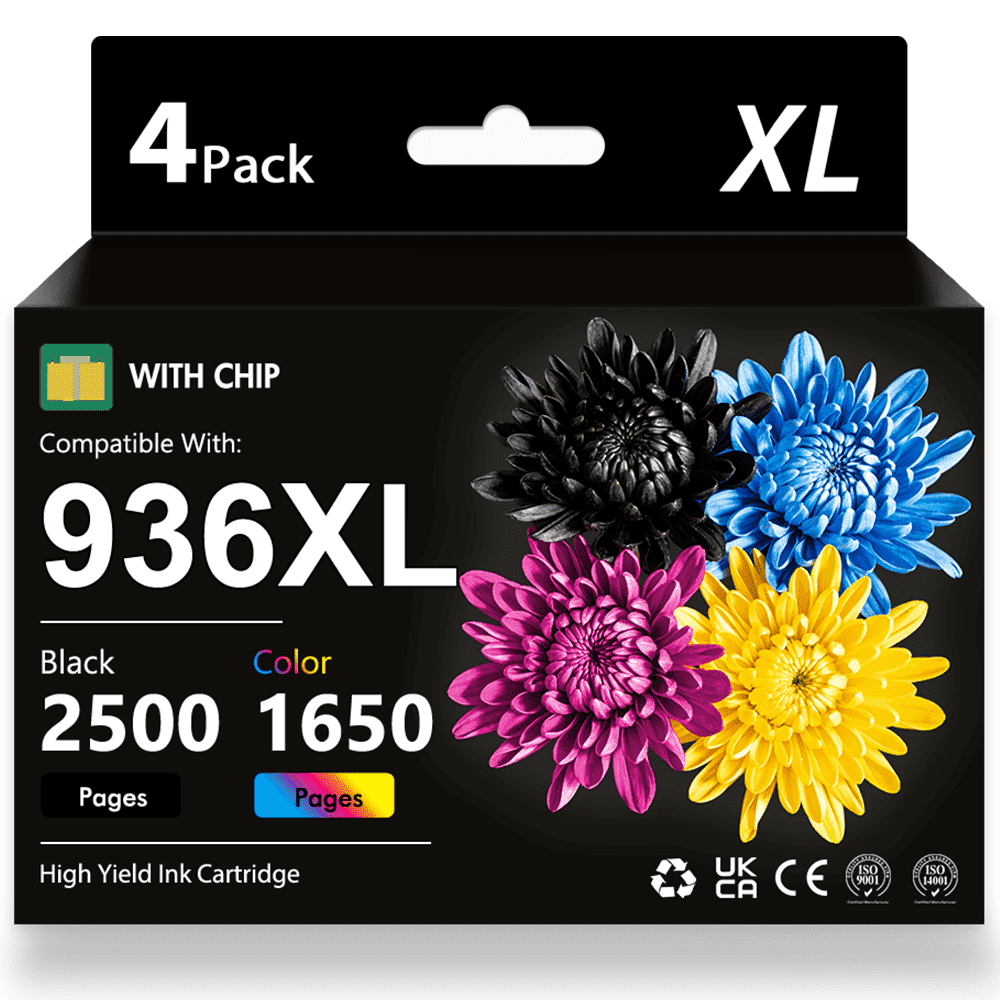
936E 936 Ink Cartridge Compatible for 936 936E HP Ink Cartridges for OfficeJet Pro 9125e 9120e 9730e 9130 9135e 9122e 9128e 9110b 9120b 9130b 9130e Printer(4-pack)
Product details
| Management number | 230515786 | Release Date | 2026/06/18 | List Price | US$24.79 | Model Number | 230515786 | ||
|---|---|---|---|---|---|---|---|---|---|
| Category | |||||||||
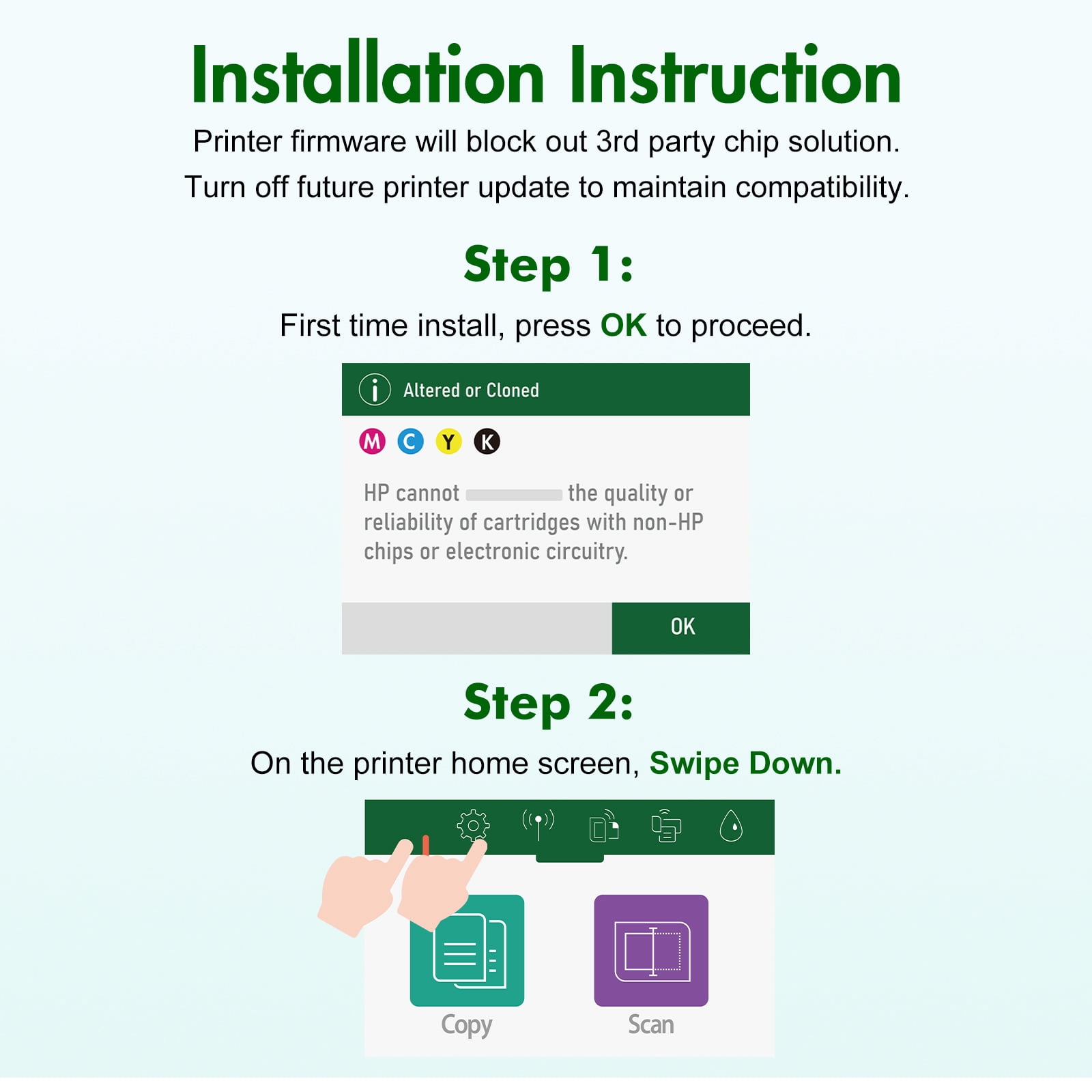
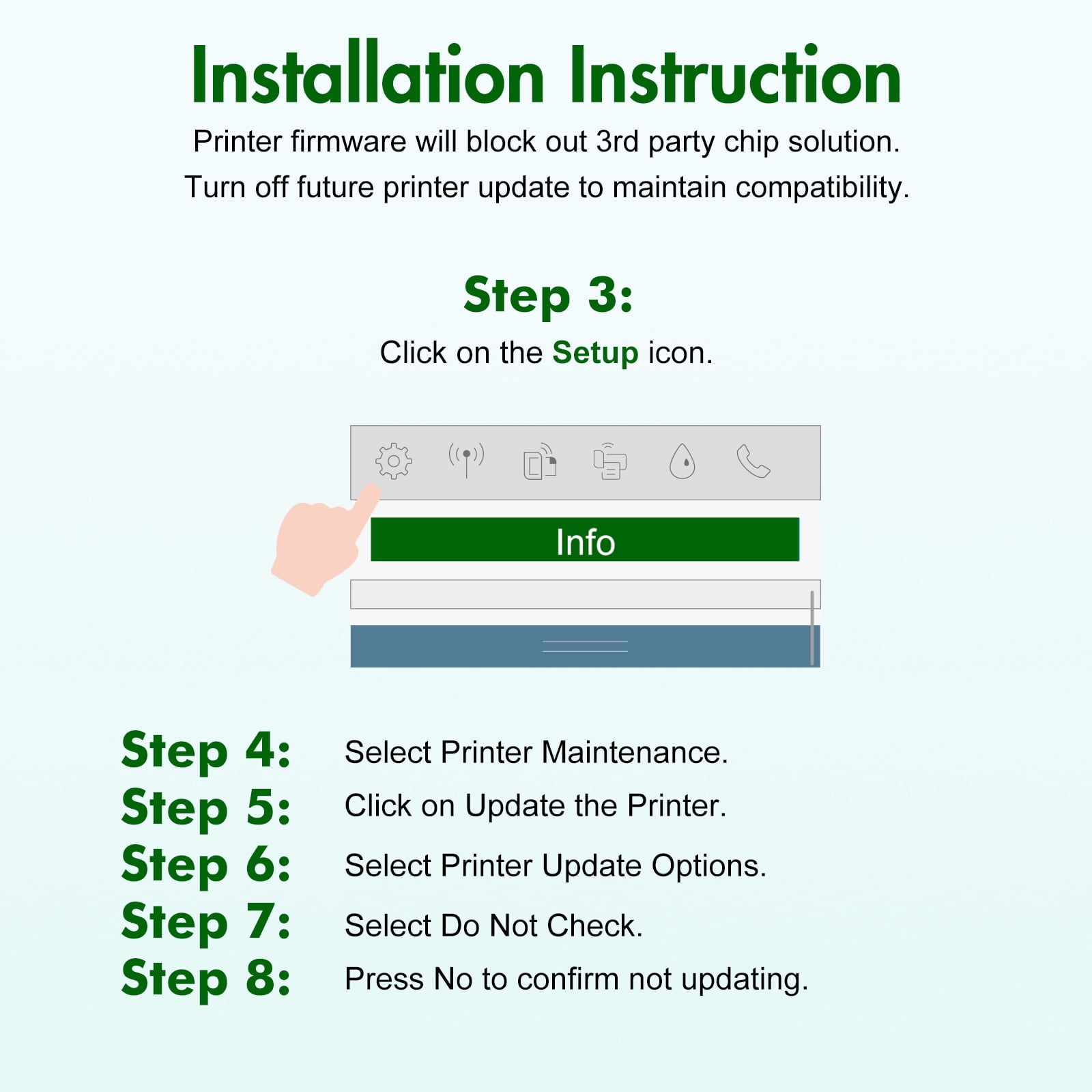
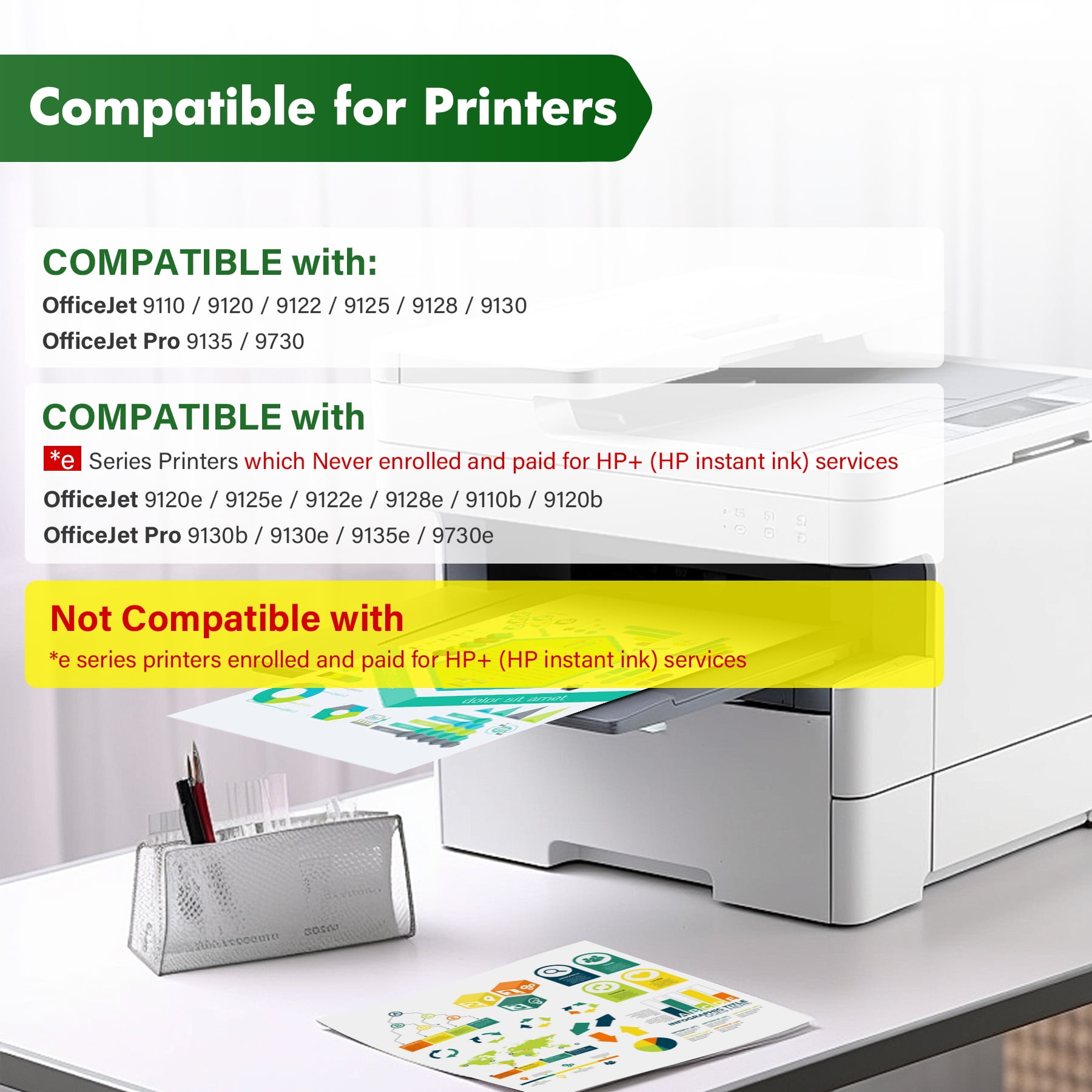
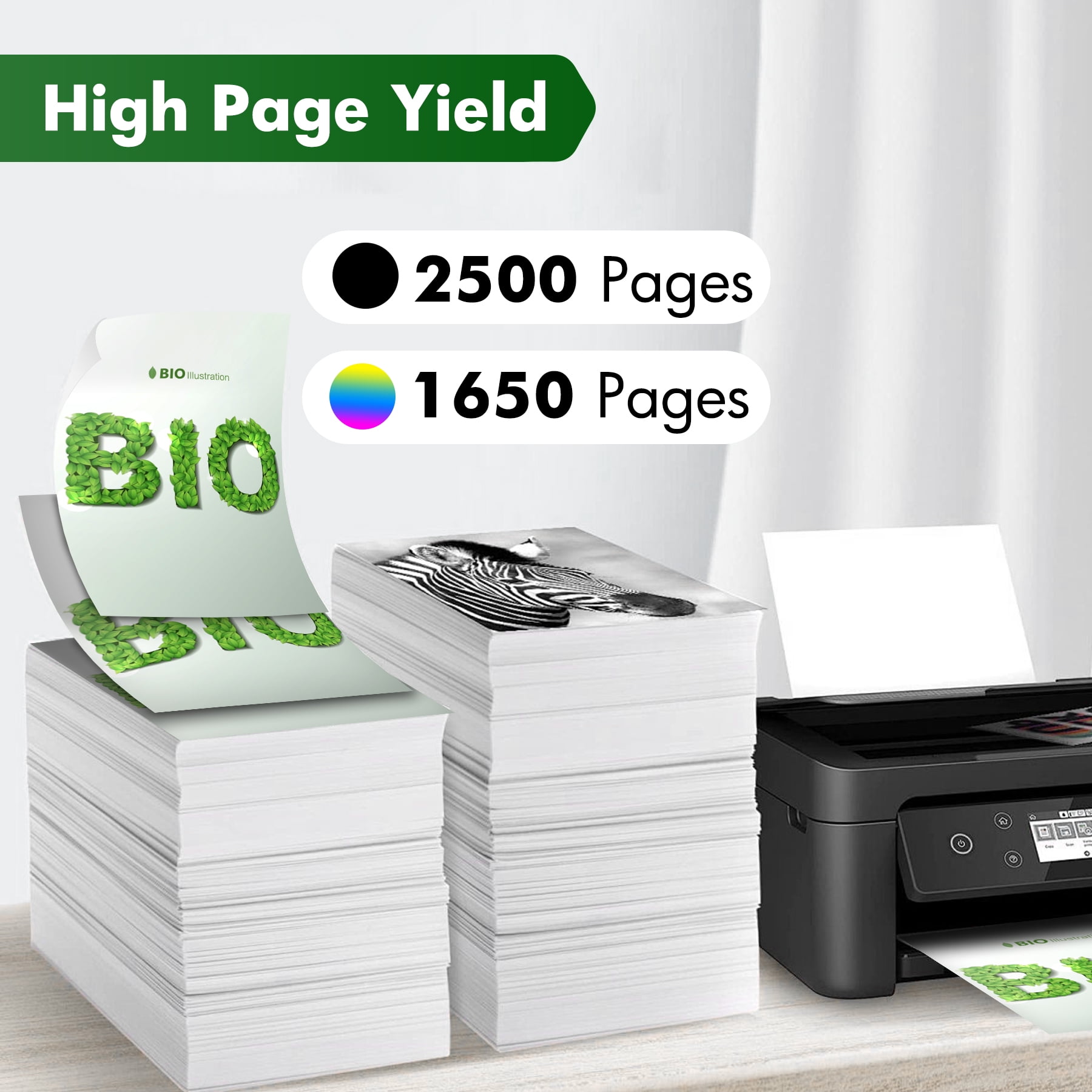
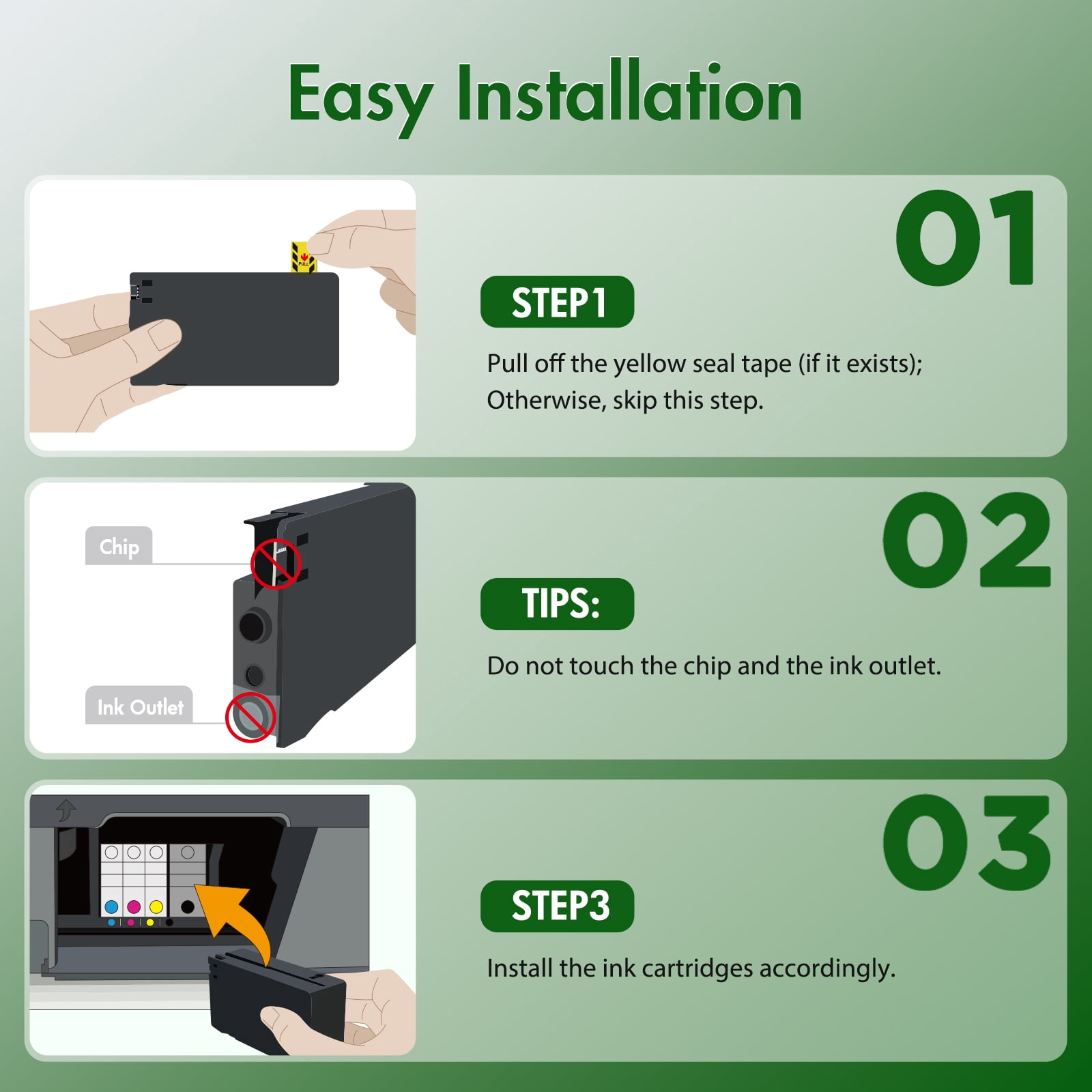
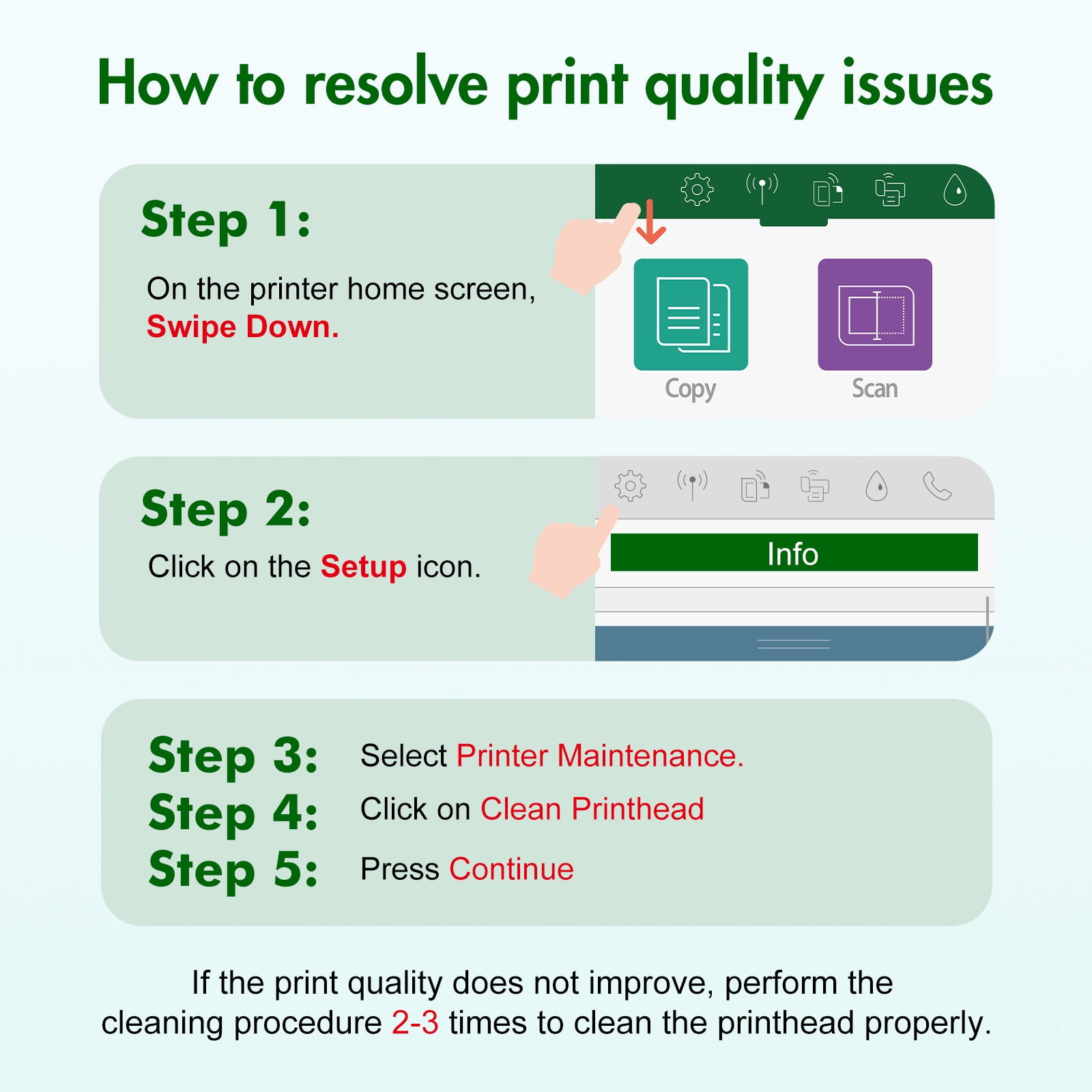
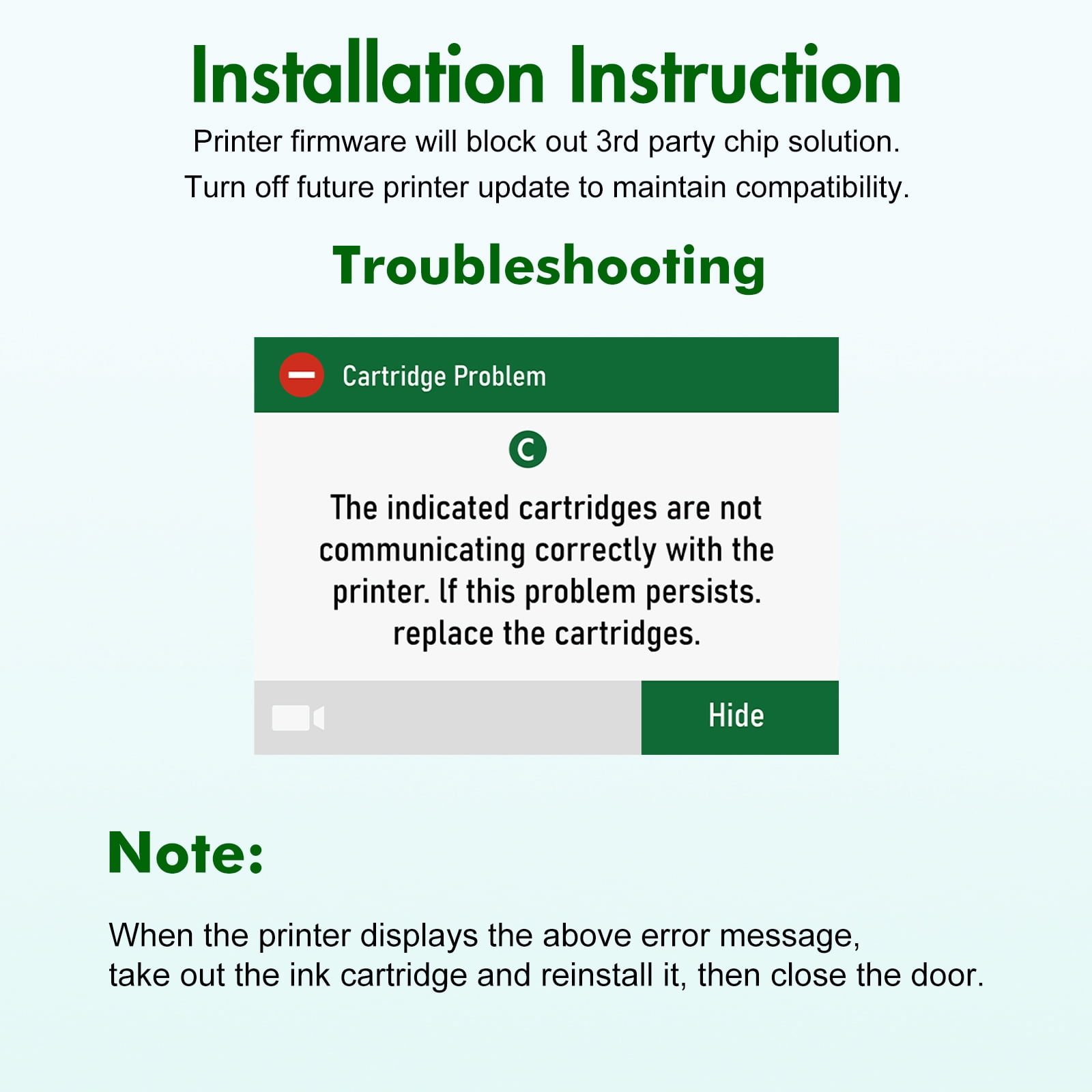
📦 Package included:<br> <font color="#FF3333" size="3"><b> 936E 936XL 936 Ink Cartridge : 1-Pack Black, 1-Pack Cyan, 1-Pack Magenta, 1-Pack Yellow <br><br> 📜 High Page Yield :<br> <font color="#FF3333" size="3"><b> 2500 Pages</b></font> Per 936E 936XL 936 Black Ink Cartridge(At 5% coverage)<br> <font color="#FF3333" size="3"><b> 1650 Pages</b></font> Per 936E 936XL 936 Color Ink Cartridge(At 5% coverage)<br><br> 🖨 Compatible Toner Cartridge Compatible for Printer:<br><br> Compatibile with<br> officejet pro 9110 / 9120 / 9122 / 9125 / 9128 / 9130<br> officejet pro 9135 / 9730<br><br> Compatible with<br> <font color="#FF3333" size="3"><b> *e </b></font>Series Printers <font color="#FF3333" size="3"><b> which Never enrolled and paid for HP+ (HP instant Ink)services</b></font><br> officejet pro 9120e / 9125e / 9122e / 9128e / 9110b / 9120b<br> officejet pro 9130b / 9130e / 9135e / 9730e<br><br> <font color="#FF3333" size="3"><b> NOT Compatible with<br> *e Series Printers enrolled and paid for HP+ (HP instant Ink)services<br><br></b></font> Important Note: Our 936e 936xl 936 black and color ink cartridges are Not compatible with *e series International Model printers enrolled and paid for HP+ (HP instant ink) services<br><br> 💾 Installation Steps:<br> Step 1: Tear off the sealing tape<br> Step 2: Remove the protective cap carefully<br> Step 3: Install the 936e ink cartridge into the corresponding slot<br> (Attention: Do not touch the chip or the ink port)<br><br> <b>Installation Instruction - IF Altered or Cloned</b><br> Printer firmware will block out 3rd party chip solution. Turn off future printer update to maintain compatibility.<br> Step 1: First time install, press OK to proceed.<br> Step 2: On the printer home screen, Swipe Down.<br> Step 3: Click on the Setup icon.<br> Step 4: Select Printer Maintenance.<br> Step 5: Click on Update the Printer.<br> Step 6: Select Printer Update Options.<br> Step 7: Select Do Not Check.<br> Step 8: Press No to confirm not updating.<br><br> <b>Troubleshooting - IF Cartridge Problem: The indicated cartridges are not communicating correctly with the printer. If this problem persists. replace the cartridges.</b><br> When the printer displays the above error message, take out the ink cartridge and reinstall it, then close the door.<br><br> <b>How to resolve print quality issues - IF colors are not accurate or printing is not clear.</b><br> Step 1: On the printer home screen, Swipe Down<br> Step 2: Click on the Setup icon<br> Step 3: Select Printer Maintenance<br> Step 4: Click on Clean Printhead<br> Step 5: Press Continue<br> If the print quality does not improve, perform the cleaning procedure 2-3 times to clean the printhead properly.<br><br></b></font>
- 👍Compatible Printers: OfficeJet Pro 9110 9120 9122 9125 9128 9130 9135 9730 Series Printer
- 👍Compatible Printers: *e series printers which Never enrolled and paid for HP+ (HP instant ink) services, such as OfficeJet Pro 9120e 9125e 9122e 9128e 9110b 9120b 9130b 9130e 9135e 9730e Series Printer
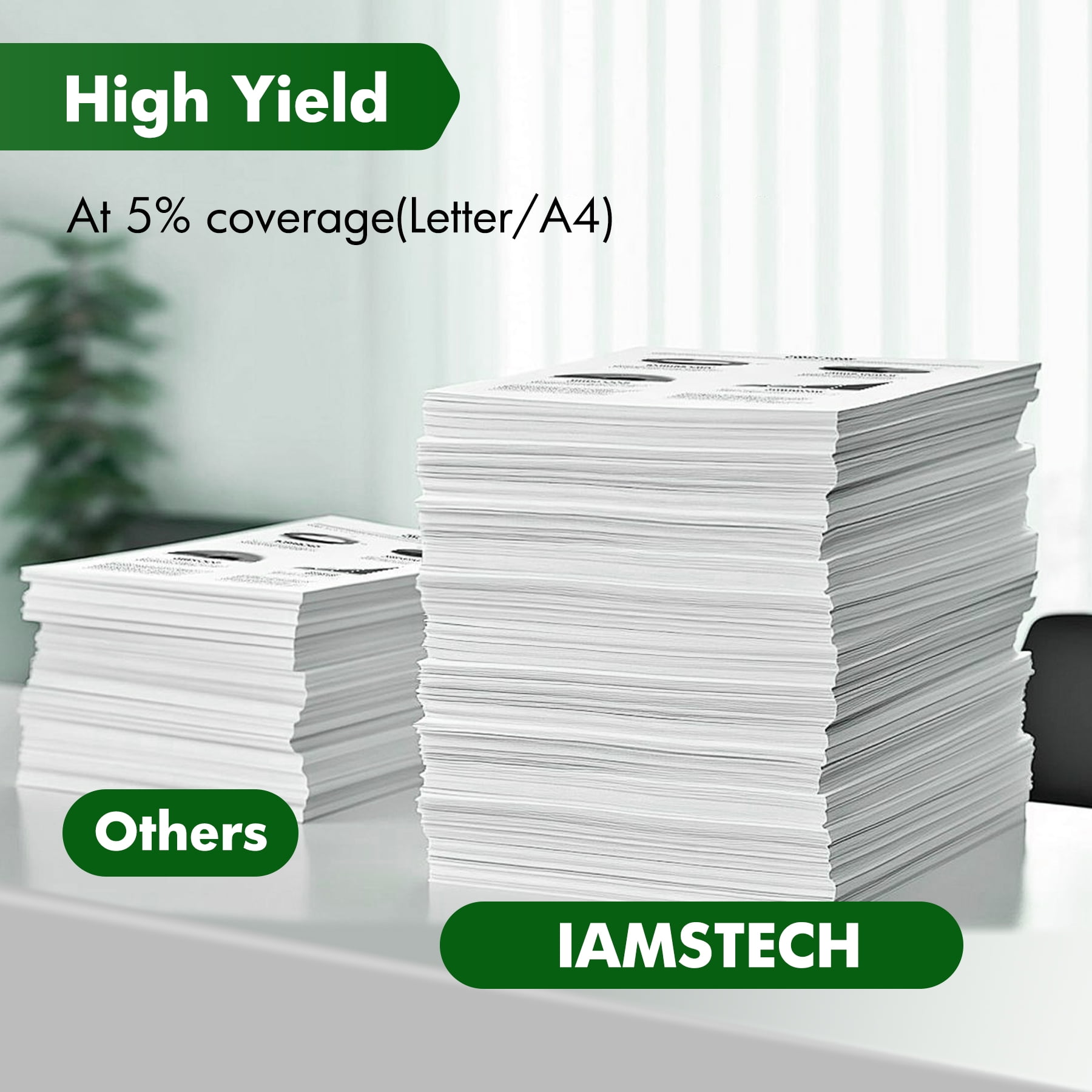
- 👍High Page Yield: It yields up to 2,500 pages for each 936XL Black Ink and 1,650 pages for each 936XL Color Ink at 5% coverage (A4e letter)
- 👍Package Content: Ink 936XL black and 936XL color combo pack (1 × 936XL Black, 1 × 936XL Cyan, 1 × 936XL Magenta, 1 × 936XL Yellow Ink Cartridge)
- 👍Get sharp, smudge-free prints: our high-yield ink cartridges deliver exceptional value and reliability
| Compatibility | HP936 |
|---|---|
| Ink color | HP936 Cartridge With Chip |
| Printer cartridge page yield | 6000 |
| Brand | IAMSTECH |
| Ink container type | Ink Cartridge |
| Printer cartridge type | Color |
| Model | HP936 |
| Maximum page yield | 2500 |
| Minimum page yield | 1650 |
| Pack quantity | 1 |
| Items included | HP936 |
| Retail packaging | Combo Pack |
| Ink refill code | HP936 |

Bestseller ranking
Computers


Customers who viewed this product also viewed
Printers


Correction of product information
If you notice any omissions or errors in the product information on this page, please use the correction request form below.
Correction Request Form